
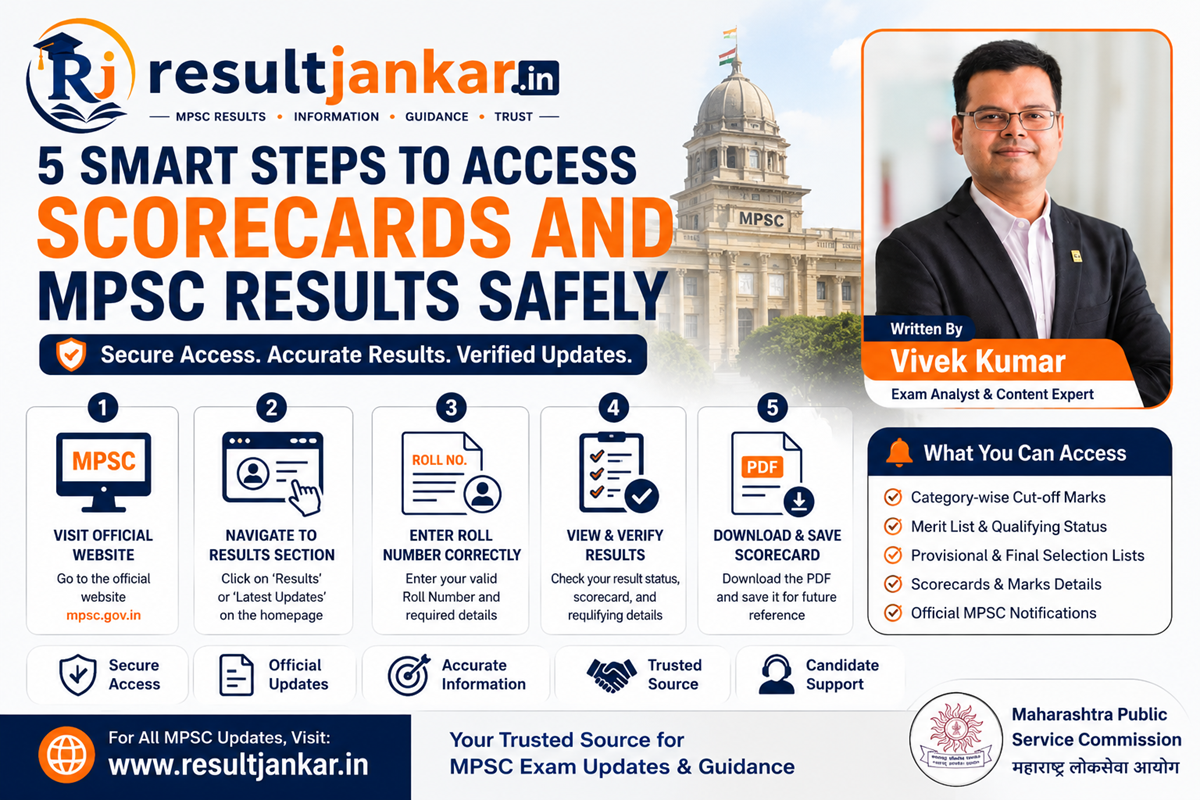
5 Smart Steps to Access Scorecards and MPSC Results Safely
Quick Answer
To view and verify the latest official MPSC results, candidates must access the publication dashboard on the official state commission web portal or check curated platforms like the Result Jankar Home Page. The Maharashtra Public Service Commission publishes performance outcomes in accessible, downloadable formats. These merit documents highlight qualified roll numbers alongside specific category-wise cut-off marks. Shortlisted aspirants can instantly confirm their main exam qualifying status or final selection by cross-referencing their official test numbers directly within the published lists.
Introduction
Appearing for the highly competitive Maharashtra civil services examinations is a massive career milestone that requires thousands of hours of intense focus. However, for many hard-working aspirants, the intense period spent waiting for the official release of the final scores can feel just as demanding as the actual test days. Sifting through unverified gossip forums or clicking broken links when trying to locate your final status can lead to unnecessary anxiety and waste valuable time.
Tracking your hard-earned performance values shouldn’t be a frustrating chore.
To help you navigate this final stage smoothly, this deep dive provides a clear, practical roadmap for managing your official MPSC results. By matching quick-access shortcuts with the official procedures used by the state selection board, we outline the exact steps needed to download official scorecards, check merit lists, and map out your next preparation goals.
The Lifecycle of Official State Performance Outputs
Understanding the specific sequence in which the Commission processes selection data makes tracking your progress incredibly easy. Many applicants experience confusion because they look for final appointment choices inside early test keys.
The official evaluation process follows a structured path to ensure transparency at every stage:
[Written Exam Execution] ──> [First & Final Answer Keys] ──> [Preliminary Merit List PDF]
                                                                        │
[Final Recommendation List] <── [Personal Interview Loops] <── [Main Selection List]
- Preliminary Examination Merit List: The initial qualifying screening filter that determines which candidates have earned the right to appear for the main examinations.
- Provisional Selection List: A comprehensive post-mains breakdown that lists the initial ranks and departmental allotments based on total written scores.
- Final Recommendation List: The definitive selection manifest sent straight to state administrative departments to initialize physical document verification and background checks.
The Importance of Quick Curation Hubs
While using consolidated tracker dashboards saves extensive search blocks, checking high-stakes updates—such as revised cut-offs or mandatory opting-out deadlines—demands using official-source-verified links. Aspirants should maintain a reliable routine of cross-checking sudden timeline updates directly on the official MPSC Result Portal to safeguard their administrative journey.
Key Metrics to Analyze Inside Score Documents
When opening a newly published outcome document, candidates must analyze specific parameters to evaluate their standings accurately.
1. Category-Wise Cut-Off Marks
The Commission releases the minimum score thresholds alongside every selection list. These boundaries fluctuate from year to year based on total vacancy numbers, overall test difficulty, and general candidate performance trends. Checking these listings lets you quickly see how close your performance came to the qualifying line across open, reserved, and specialized sub-categories.
2. Roll Number Qualification Logs
The primary results document is typically published as a standardized PDF that compiles the numbers of all shortlisted applicants. Because these files do not require private login passwords to download, you can view the file instantly and scan for your name or assigned test numbers.
3. Allocation and Recommendation Metrics
For advanced mains and interview lists, the sheets provide full clarity by showing the final marks breakdown, candidate name strings, and assigned departmental posts. This transparency lets you verify your merit positions across the state service hierarchy.
Step-by-Step Optimization for Candidates
Follow this failure-free process to track incoming results sheets, scan long lists accurately, and process your scores without administrative delays.
1. Monitor Active Curation Feeds
Check trusted job info portals to capture fresh selection rollouts as soon as they go live.
- Visit the homepage of Result Jankar to view a clean, real-time feed of Maharashtra exam announcements.
- Click into the specialized MPSC Results category tab to check active selection links.
- Identify your specific recruitment advertisement number to ensure you are downloading the correct list.
2. Access the Official Government File Drive
Download the verified master list to ensure your performance tracking remains fully accurate.
- Click the direct download link to access the official MPSC Government Website.
- Navigate to the ‘Candidate Information’ menu and select the ‘Results’ dropdown section.
- Select the PDF icon next to your exam name to download the official merit file straight to your local drive.
3. Execute a Rapid Document Search
Use built-in search commands to scan extensive candidate sheets within seconds.
- Open the downloaded results PDF using a secure local document reader or desktop browser.
- Trigger the quick search window instantly by pressing
Ctrl + Fon Windows orCmd + Fon Mac platforms. - Input your official roll number or exact name into the query bar and press enter.
- If your number highlights on the sheet, it confirms your successful selection for the next phase of the recruitment loop.
4. Verify the Category Cut-Off Thresholds
Analyze the underlying scoring trends to verify how your scores compare to the qualification lines.
- Scroll to the final section of the official PDF document to find the structured cut-off tables.
- Locate your exact reservation category (e.g., Open General, OBC Female, SC Sports).
- Compare your estimated performance metrics against the minimum score required to safely cross the cutoff.
Common Pitfalls to Avoid While Checking Results
Protect your preparation routine from administrative mistakes by keeping these common results-day errors in mind.
Relying Entirely on Unverified Third-Party Screenshots
Downloading heavily compressed image files or unverified score summaries shared on social media groups can lead to confusion. Low-resolution images can distort roll numbers, leading to false alarms or missed names. Always take the extra minute to download the official master PDF directly from a verified source to ensure your info is accurate.
Celebrating Early Before the Final Recommendation Release
Assuming your final job placement is guaranteed simply because your name appears in an early provisional merit list can lead to heartbreak. Provisional lists are subject to change based on reservation audits, medical checks, or legal revisions from tribunals. Always wait until the final, verified recommendation list is officially issued by the Commission before celebrating.
Forgetting Your Roll Number and Registration Credentials
Misplacing your main admission card and forgetting your registration credentials right when a major list drops can slow you down during high-traffic release windows. Keep a digital backup of your admit cards and application profiles saved in a secure personal folder, allowing you to run a quick search the moment a result file is published.
Comprehensive Performance Asset Matrix
The table below displays how different official evaluation assets function to guide your career path.
| Evaluation Asset Type | Core Functional Purpose | Primary Benefit for Aspirants | Ideal Action Item |
| Preliminary Results PDF | Screens applicants for the next phase | Confirms your main exam qualifying status | Run a fast roll number search |
| Category-Wise Cut-Offs | Outlines minimum qualifying scores | Shows how your score compares to the line | Study score metrics for future prep |
| Provisional Selection List | Ranks candidates post-mains exams | Provides an early view of your post choices | Check for rank matching or preference updates |
| Final Recommendation List | Final selection manifest for jobs | Confirms your final selection | Gather your certificates for verification |
| Official Marksheets | Detailed breakdown of individual scores | Highlights your section strengths and weaknesses | Use data insights to improve future attempts |
Pros and Cons of Curated Selection Trackers
Pros
- Eliminates Search Panic: Groups scattered selection announcements into a single, clean dashboard, saving hours of manual hunting.
- Provides Crucial Context: Accompanies raw list files with clear cut-off tables and clear next-stage timelines.
- Bypasses High-Traffic Server Slowdowns: Delivers reliable alternative access paths when official portals experience heavy visitor traffic.
- Keeps Career Goals Organized: Helps you track your journey seamlessly from preliminary screening lists to final job placements.
Cons
- Requires Root Site Confirmation: Final appointment confirmations always require a quick look at the master government files to guarantee absolute accuracy.
Frequently Asked Questions
Where can I check my MPSC results without server lag?
You can easily track all newly published merit lists, selection summaries, and cut-off tables through the dedicated MPSC Results category tab on Result Jankar (resultjankar.in), which provides direct links to verified files.
Do I need my password credentials to download an MPSC merit list?
No. The Commission issues major selection logs as public PDF documents, meaning you can open and view the files instantly without entering personal account login passwords.
What factors cause the official cut-off marks to change?
Category-specific cut-offs vary based on the total number of open vacancies, the difficulty level of the test papers, and the overall score distribution of the candidates who took the exam.
What is the next step after clearing an MPSC preliminary results check?
Once you verify your qualifying status in the prelims list, your focus must immediately shift to preparing for the main written examination. Keep a close eye on the calendar for separate registrations and admit card timelines.
How do I use my phone to search for my number inside a master PDF?
Open the downloaded PDF file inside any mobile document viewing app, tap the magnifying glass icon at the top of your screen, enter your complete roll number, and tap search.
Can a candidate contest an error found inside an initial selection log?
Yes. Candidates can file official correction requests and submit supporting documents through the Commission’s grievance portal if they spot data mismatches during the provisional list review period.
What does it mean if my roll number is in the provisional selection list but not the final list?
This rare issue can happen if a candidate fails their background checks, faces a category reservation adjustment, or gets displaced by a revised merit order following a tribunal review.
Are marks from preliminary exams counted toward the final merit list?
No. Preliminary test scores serve exclusively as a qualifying gate to filter candidates for the mains phase. Your final selection rank depends entirely on your written mains scores and interview performance.
Where can I find my individual subject marks breakdown?
Individual marksheets are typically released through the candidate login portal a few weeks after the final recommendation lists are officially archived on the main site.
How often should an active candidate check for results updates?
During high-volume announcement seasons, visiting Result Jankar two to three times a week ensures you stay well ahead of new selection lists and upcoming registration windows.
Final Verdict
Tracking your MPSC results efficiently is the vital final step in your competitive exam journey. By stepping away from unverified social groups and using a clear, step-by-step approach through dedicated platforms like Result Jankar, you can keep your evaluation timeline completely stress-free. This organized focus protects you from missing crucial deadlines and helps you pivot smoothly to your next career phase, allowing you to approach your professional future with complete confidence.
If you are ready to review recent selection lists and check current cut-off score changes, make the curated tools on our platform a regular stop in your daily routine. By keeping your administrative timeline perfectly organized, you can approach results day with peace of mind and move closer to your goal of serving the public.